The DS-160 form rejects photos that are not square, too large or the wrong size. Crop your photo here and download a 600 × 600 px JPEG under 240 KB for the online form, plus a 4 × 6″ sheet of 2 × 2 inch prints for your visa interview.
100% FreeNo Sign-up or EmailNo Watermark300 DPI Print ReadyPhotos Stay on Your Device
Visa rules vary by application. Enter the measurements from your application's official photo instructions. This is a custom print crop, not a verified visa preset or a digital-application validator.
1 Upload & align
Drag to move. On a keyboard, focus the photo and use arrow keys (Shift for larger steps).
Correct camera orientation only. Keep your face upright in the final photo.
Portrait background removal & colour
For custom visa / other photos only, where background editing is permitted. Passport mode keeps the original photo.
Upload a photo, then remove its background. First use downloads AI files. Your photo is never uploaded.
Check the edges of hair and clothing before downloading.
Align the crown (top of your head, not your hair) and chin with the guides. The oval is a positioning aid. Mark your own crown and chin to check head height; this tool does not detect faces or certify acceptance.
2 Check & download
Printing at a photo kiosk or lab?
Select 4 × 6 inches (101.6 × 152.4 mm), original size / no crop, and turn off automatic enhancement. “10 × 15 cm” can be a rounded label: verify the actual paper size.
Prices and printing methods vary. Measure a cut photo with a ruler before submitting it. Cutting marks are outside the photos; guides and branding are never included.
How to make a DS-160 photo that uploads first time
Your photo→Cropped to 2 × 2 inch
Take a new photo against a plain white or off-white wall, facing the camera with even light and no glasses. It must be less than 6 months old.
Upload it here (United States is preselected). Zoom and drag until your chin and the top of your head sit between the guide lines.
Click “Download DS-160 digital file”. The tool exports a square 600 × 600 px JPEG and automatically compresses it below 240 KB.
In the DS-160 form, upload the file at the photo step. If you also need printed photos for the interview, download the 4 × 6″ sheet and print it at actual size.
DS-160 digital photo requirements
Dimensions
Square, 600 × 600 to 1200 × 1200 px
File type
JPEG (.jpg)
File size
240 KB or less
Printed size
2 × 2 inches (51 × 51 mm)
Head size
1 to 1⅜ inches (50–69% of the photo height)
Background
Plain white or off-white, no glasses
Why do DS-160 uploads fail? The most common reasons are a file over 240 KB, a non-square image, a phone HEIC file instead of JPEG, or a background that is not plain. This tool fixes the first three automatically. Read the official US visa photo requirements ↗.
Frequently asked questions
What size photo is needed for the DS-160?
A square JPEG between 600 × 600 and 1200 × 1200 pixels, 240 KB or smaller. This tool creates a 600 × 600 px JPEG under 240 KB.
Why does my DS-160 photo upload keep failing?
Usually because the file is larger than 240 KB, is not square, is not a JPEG, or has a shadowed or patterned background. Use the digital download here, which is square, JPEG and compressed below 240 KB.
Is a US visa photo the same as a US passport photo?
The appearance rules are the same: 2 × 2 inches, white or off-white background, no glasses. The DS-160 adds digital rules for pixels and file size.
Do I need printed photos for my visa interview?
Some consulates ask for a printed 2 × 2 inch photo. Download the 4 × 6″ sheet here as a backup and check your consulate’s instructions.
Can I use it for the DV Lottery or DS-260?
The DS-260 and Diversity Visa programme use the same 600 × 600 px square JPEG format with a 240 KB limit. Always check the current instructions for your application.
Is the tool free and private?
Yes. It is free, needs no account and adds no watermark. Your photo stays on your device.
THIS FREE TOOL IS MADE BY AWAIS GFX
Need a video ad, logo or social content?
We create commercial video ads, UGC edits, 3D motion graphics and brand design for growing businesses. Clear packages from A$35.
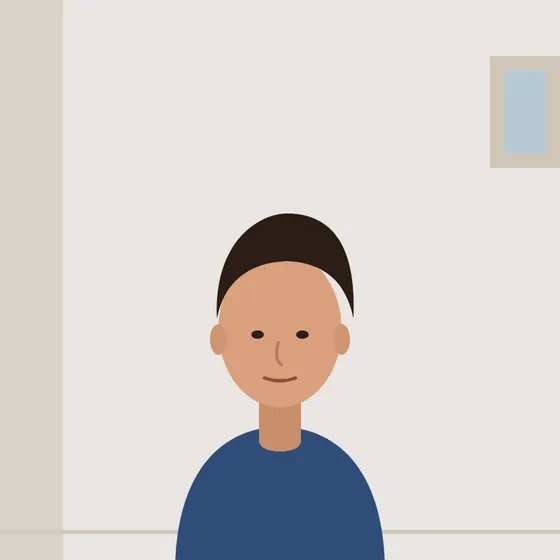 Your photo
 Cropped to 2 × 2 inch