Free AI
Background Remover.
Remove the background from a portrait or product photo privately in your browser. Download a transparent PNG, pick any background colour, add a studio backdrop or blur the original scene.
1. Choose an image
Your image stays on this device. First use needs an internet connection.
Choose a photo to begin.
2. Change the background
Remove a background from a portrait or product photo
Choose Person for a headshot or profile picture. After processing, check the hairline and shoulders against your chosen colour. For an online shop, choose Product, then preview the edges of your item on white or download a transparent PNG to place it on your own design.
Preparing an ID photo? Use the Australian passport photo maker to crop your original photo and arrange a printable sheet.
How to remove a background from a product photo
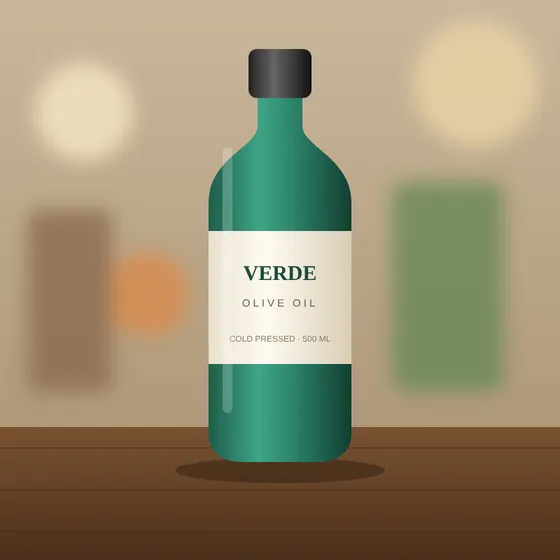 Before
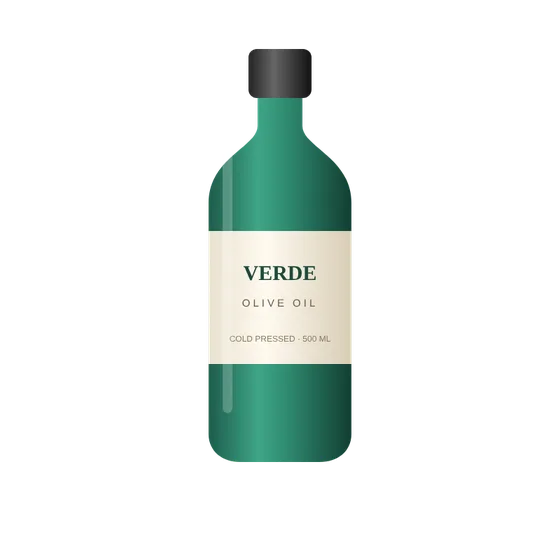 After · transparent PNG
- Photograph the product on a plain surface with good, even light. Keep the whole item in frame.
- Upload the photo and choose Product, then click Remove background. The first run downloads the AI model once (about 100–180 MB) and saves it in your browser for next time.
- Choose Transparent for a PNG cut-out, or Custom colour and pick white (#FFFFFF) for marketplace listings such as Amazon, eBay or Shopify.
- Download the PNG. For a passport or visa photo, crop it afterwards with the visa photo maker — note that many passports do not allow background replacement.
Tips for clean edges
Use a background that contrasts with your subject, avoid motion blur and shoot in the highest resolution you can. For people, keep hair against a plain wall. If a faster result matters more than fine edges on a slow phone, use a computer with a recent Chrome or Edge browser, which can use your graphics card.
Background remover FAQ
Is the background remover free?
Yes. It is free to use, with no sign-up, no email and no watermark.
Is my photo uploaded to a server?
Your image is processed in your browser on your own device. The first time you use the tool it downloads the AI model files, so an internet connection is needed once.
Which image types can I use?
You can upload JPG, PNG or WebP files and download the result as a PNG.
Can I get a transparent PNG?
Yes. Choose Transparent for a cut-out you can place on your own design, or pick any solid colour for a new background.
Should I choose Person or Product?
Choose Person for headshots and profile pictures, and Product for objects, packaging and online shop photos.
Can I use it for a passport photo?
You can remove or replace the background first, then crop with the Australian passport photo maker. Always check the current official passport photo requirements before you submit a photo.
More free photo tools
All tools run privately in your browser — no sign-up, no watermark.
Need a video ad, logo or social content?
We create commercial video ads, UGC edits, 3D motion graphics and brand design for growing businesses. Clear packages from A$35.