a✦ Awais GfxFree passport & ID photo tools
MADE FOR AUSTRALIA · PRIVATE BY DESIGN

Free Australian
Passport Photo Maker.

Skip the $20+ photo counter. Upload a photo taken against a plain light wall, line up your head with the guides, and download a single 35 × 45 mm photo or a six-photo 4 × 6″ sheet ready for Kmart, Big W or Officeworks.

100% FreeNo Sign-up or EmailNo Watermark300 DPI Print ReadyPhotos Stay on Your Device
Read official requirements ↗

Upload & align

Drag to move. On a keyboard, focus the photo and use arrow keys (Shift for larger steps).
Correct camera orientation only. Keep your face upright in the final photo.

Portrait background removal & colour

For custom visa / other photos only, where background editing is permitted. Passport mode keeps the original photo.

Open the standalone AI Background Remover →

Choose a clear, recent photo to begin.
Align the crown (top of your head, not your hair) and chin with the guides. The oval is a positioning aid. Mark your own crown and chin to check head height; this tool does not detect faces or certify acceptance.

Check & download

    Printing at Kmart, Officeworks or a photo lab?

    Select 4 × 6 inches (101.6 × 152.4 mm), original size / no crop, and turn off automatic enhancement. “10 × 15 cm” can be a rounded label: verify the actual paper size.

    Prices and printing methods vary. Measure a cut photo with a ruler before submitting it. Cutting marks are outside the photos; guides and branding are never included.

    How to make an Australian passport photo at home
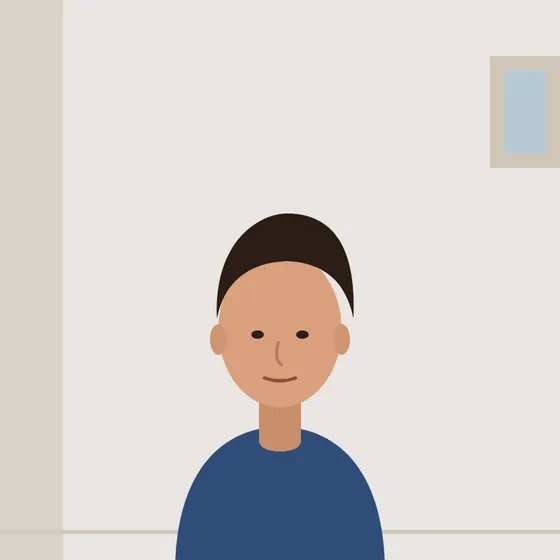
    Example: a photo taken against a plain light wallYour photo
    Example: the same photo cropped to 35 × 45 mm with the head centredCropped to 35 × 45 mm
    1. Stand about a metre in front of a plain white or light-grey wall. Use soft, even daylight from the front so there are no shadows on your face or the wall.
    2. Ask someone to take the photo at eye level from 1–2 metres away. Look straight at the camera with a neutral expression, mouth closed and eyes open. Remove glasses.
    3. Upload the original photo here with Australia selected. Zoom and drag until your crown and chin sit on the guide lines, then use “Mark crown & chin” to check the 32–36 mm head height.
    4. Download the 4 × 6″ print sheet and order a 4 × 6″ print with cropping and auto-enhancement switched off. Cut out two photos and measure them with a ruler before you lodge your application.

    Australian passport photo requirements at a glance

    Photo size35–40 mm wide × 45–50 mm high (this tool uses 35 × 45 mm)
    Head height32–36 mm from chin to crown
    BackgroundPlain white or light grey, no shadows or patterns
    GlassesNot allowed (medical exemptions only)
    EditingNo retouching or background replacement
    Photos neededTwo identical photos, less than 6 months old

    Requirements change from time to time. Always read the Australian Passport Office photo guidelines ↗ before you print.
    Frequently asked questions

    Is this Australian passport photo maker really free?

    Yes. Upload, crop and download without payment, registration, email or watermarks. Printing is a separate service charged by your chosen retailer.

    What size is an Australian passport photo?

    The Australian Passport Office allows 35–40 mm width and 45–50 mm height, with a chin-to-crown height of 32–36 mm. This tool produces the 35 × 45 mm format at 413 × 531 pixels with 300 DPI print metadata.

    How much does a passport photo cost in Australia?

    Post offices and photo counters typically charge around $20 or more for a set of passport photos. With this tool you only pay for a 4 × 6″ print at a photo printer, which is usually far cheaper. Check the current price and paper with your retailer.

    Can I change the background of an Australian passport photo?

    Do not digitally replace the background for an Australian passport application. Take the original photo against a plain white or light-grey background. Passport mode keeps your original background. For other documents that allow editing, switch to Visa / other to remove the background and pick a colour.

    Where can I print my 4 × 6 inch passport photo sheet in Australia?

    Ask Kmart, Big W, Officeworks or a specialist photo lab for a 4 × 6 inch print. Australian passports require good-quality colour prints on glossy photographic paper; confirm the paper and printing process with the retailer.

    Can I wear glasses in my Australian passport photo?

    No. Glasses are not accepted in Australian passport photos unless you have a medical reason, which needs supporting documentation.

    Can I use the tool for an Australian visa?

    Visa photo specifications depend on the application. Choose Visa / other and enter the measurements from your official instructions. Online applications can have separate pixel, file-size and format requirements.

    Are my photos uploaded or saved?

    No. Processing takes place in your browser memory. Photo pixels are not sent to a server or saved in browser storage.

    Does this tool guarantee passport approval?

    No. The guides help with framing and your manually marked head height. They cannot verify lighting, expression, sharpness or acceptance by the Australian Passport Office.

    THIS FREE TOOL IS MADE BY AWAIS GFX

    Need a video ad, logo or social content?

    We create commercial video ads, UGC edits, 3D motion graphics and brand design for growing businesses. Clear packages from A$35.

    Balansa ERP software commercialProduct UGC video adDigital Inventory commercial
    See services & prices →

    More free photo tools

    All tools run privately in your browser — no sign-up, no watermark.