a✦ Awais GfxFree image & photo tools
50 KB · ONLINE FORMS

Resize Image
to 50 KB.

Need a photo under 50 KB for an online application? Upload it and this tool finds the sharpest JPEG that fits the limit. Set exact pixel dimensions too if your form asks for them.

100% FreeNo Sign-upNo WatermarkExact KB TargetImages Stay on Your Device

Upload & choose size

Exact pixel size (optional)

Leave empty to keep the original proportions. Setting both crops from the centre — it never stretches.

Choose an image to begin.

Preview & download

Your resized image appears here
  • Finds the highest quality under your limit
  • Shrinks dimensions only when it must
  • Nothing is uploaded — works offline after loading

How to compress a JPG to 50 KB

  1. Upload the image you need to submit.
  2. The target is preset to 50 KB. Change it if your form has a different limit.
  3. Optionally enter the width and height in pixels from your form instructions.
  4. Click “Resize to target”, check the result and download your JPG.

Why do forms limit file size in KB?

Government portals, exam boards, job sites and visa systems process thousands of uploads every day, so they cap each file at a fixed size such as 20 KB, 50 KB or 100 KB. A modern phone photo is often 2–5 MB — up to 250 times too big. Simply changing the width and height does not guarantee the file size, which is why uploads keep failing.

This tool measures the real file size after compression. It first lowers JPEG quality step by step and only reduces the pixel dimensions if the target still cannot be reached, so you keep the clearest possible image.

Other quick sizes: 20 KB · 100 KB · any size. Need a passport-style photo first? Try the passport photo maker or the DS-160 visa photo maker.
Frequently asked questions

How do I compress a JPG to 50 KB?

Upload the JPG, keep the 50 KB target and click “Resize to target”. The tool searches for the best quality setting under 50 KB.

Can I convert a PNG to a 50 KB JPG?

Yes. Upload the PNG and the result is saved as a JPG under 50 KB. Transparent areas become white.

Why is my photo still too big after resizing elsewhere?

Changing pixel dimensions alone does not guarantee a file size. This tool checks the actual file size after compression, so the result is under your limit.

Can I also make it a specific size in pixels?

Yes. Enter the width and height you need and the image is resized and compressed together.

Is my photo uploaded?

No. Everything happens in your browser.

THIS FREE TOOL IS MADE BY AWAIS GFX

Need a video ad, logo or social content?

We create commercial video ads, UGC edits, 3D motion graphics and brand design for growing businesses. Clear packages from A$35.

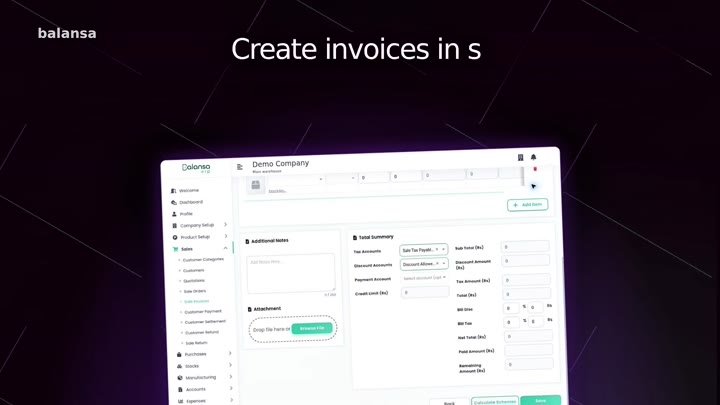
Balansa ERP software commercialProduct UGC video adDigital Inventory commercial
See services & prices →

More free photo tools

All tools run privately in your browser — no sign-up, no watermark.