a✦ Awais GfxFree passport & ID photo tools
UNITED STATES · 2 × 2 INCH PHOTOS

Free US Passport
Photo Maker (2×2).

Crop a US passport photo to exactly 2 × 2 inches, keep the head between 1 and 1⅜ inches and download a single 600 × 600 px photo or a 4 × 6″ sheet you can print at a pharmacy photo counter.

100% FreeNo Sign-up or EmailNo Watermark300 DPI Print ReadyPhotos Stay on Your Device
Read official requirements ↗

Upload & align

Drag to move. On a keyboard, focus the photo and use arrow keys (Shift for larger steps).
Correct camera orientation only. Keep your face upright in the final photo.

Portrait background removal & colour

For custom visa / other photos only, where background editing is permitted. Passport mode keeps the original photo.

Open the standalone AI Background Remover →

Choose a clear, recent photo to begin.
Align the crown (top of your head, not your hair) and chin with the guides. The oval is a positioning aid. Mark your own crown and chin to check head height; this tool does not detect faces or certify acceptance.

Check & download

    Printing at a photo kiosk or lab?

    Select 4 × 6 inches (101.6 × 152.4 mm), original size / no crop, and turn off automatic enhancement. “10 × 15 cm” can be a rounded label: verify the actual paper size.

    Prices and printing methods vary. Measure a cut photo with a ruler before submitting it. Cutting marks are outside the photos; guides and branding are never included.

    How to make a 2×2 passport photo at home
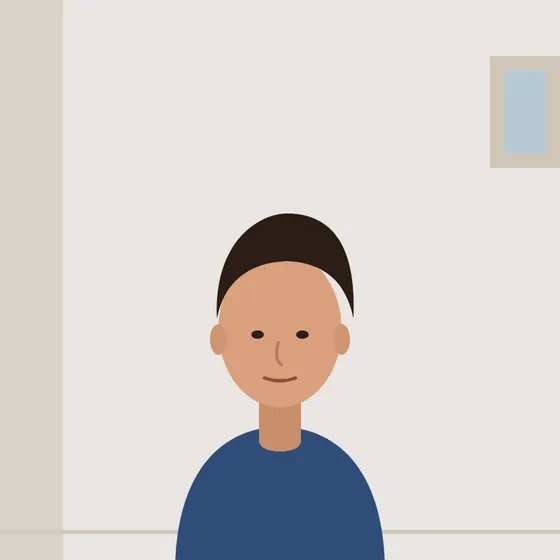
    Example: a photo taken against a plain light wallYour photo
    Example: the same photo cropped to 2 × 2 inch with the head centredCropped to 2 × 2 inch
    1. Stand in front of a plain white or off-white wall with even lighting and no shadows on your face or the background.
    2. Ask someone to take the photo from about 4 feet away at eye level. Face the camera, eyes open, neutral expression or a natural smile. Take off your glasses.
    3. Upload the photo with United States selected. Zoom until your head (chin to top of hair line) sits between the guide lines, which represent 1 to 1⅜ inches.
    4. Download the 4 × 6″ sheet, which holds two 2 × 2 photos, and print it at actual size on photo paper. Cut along the marks and measure before you apply.

    US passport photo requirements at a glance

    Size2 × 2 inches (51 × 51 mm)
    Head size1 to 1⅜ inches (25–35 mm) from chin to top of head
    BackgroundPlain white or off-white
    GlassesNot allowed
    RecencyTaken in the last 6 months
    Digital file600 × 600 px from this tool (300 DPI)

    Applying for a US visa instead? Use the DS-160 visa photo maker, which also creates the 600 × 600 px JPEG under 240 KB required by the online form. Always check the State Department photo guidance ↗.
    Frequently asked questions

    What size is a US passport photo?

    A US passport photo is 2 × 2 inches (51 × 51 mm). The head must measure 1 to 1⅜ inches from the bottom of the chin to the top of the head.

    How many photos fit on a 4 × 6 print?

    Two 2 × 2 inch photos fit on a 4 × 6 inch sheet with cutting marks. Print it at actual size with no cropping.

    Can I wear glasses in a US passport photo?

    No. Glasses are not allowed in US passport photos unless you have a signed medical statement.

    What background colour do I need?

    A plain white or off-white background with no shadows, texture or objects.

    Can I use this photo for online passport renewal?

    Online renewal has its own upload checks. The 600 × 600 px file from this tool matches the square format, but always follow the instructions shown in your online application.

    Is it free and private?

    Yes. It is free with no sign-up or watermark, and your photo is processed in your browser without being uploaded.

    THIS FREE TOOL IS MADE BY AWAIS GFX

    Need a video ad, logo or social content?

    We create commercial video ads, UGC edits, 3D motion graphics and brand design for growing businesses. Clear packages from A$35.

    Balansa ERP software commercialProduct UGC video adDigital Inventory commercial
    See services & prices →

    More free photo tools

    All tools run privately in your browser — no sign-up, no watermark.